WorkWell — Example Report
Explore an example of a WorkWell report. Participants compare statements from two perspectives: their Ideal State and Current State. The results reveal collective priorities, the biggest gaps and where to focus first.
Dynamic Gap Map
Current State vs. Ideal State — 30 statements
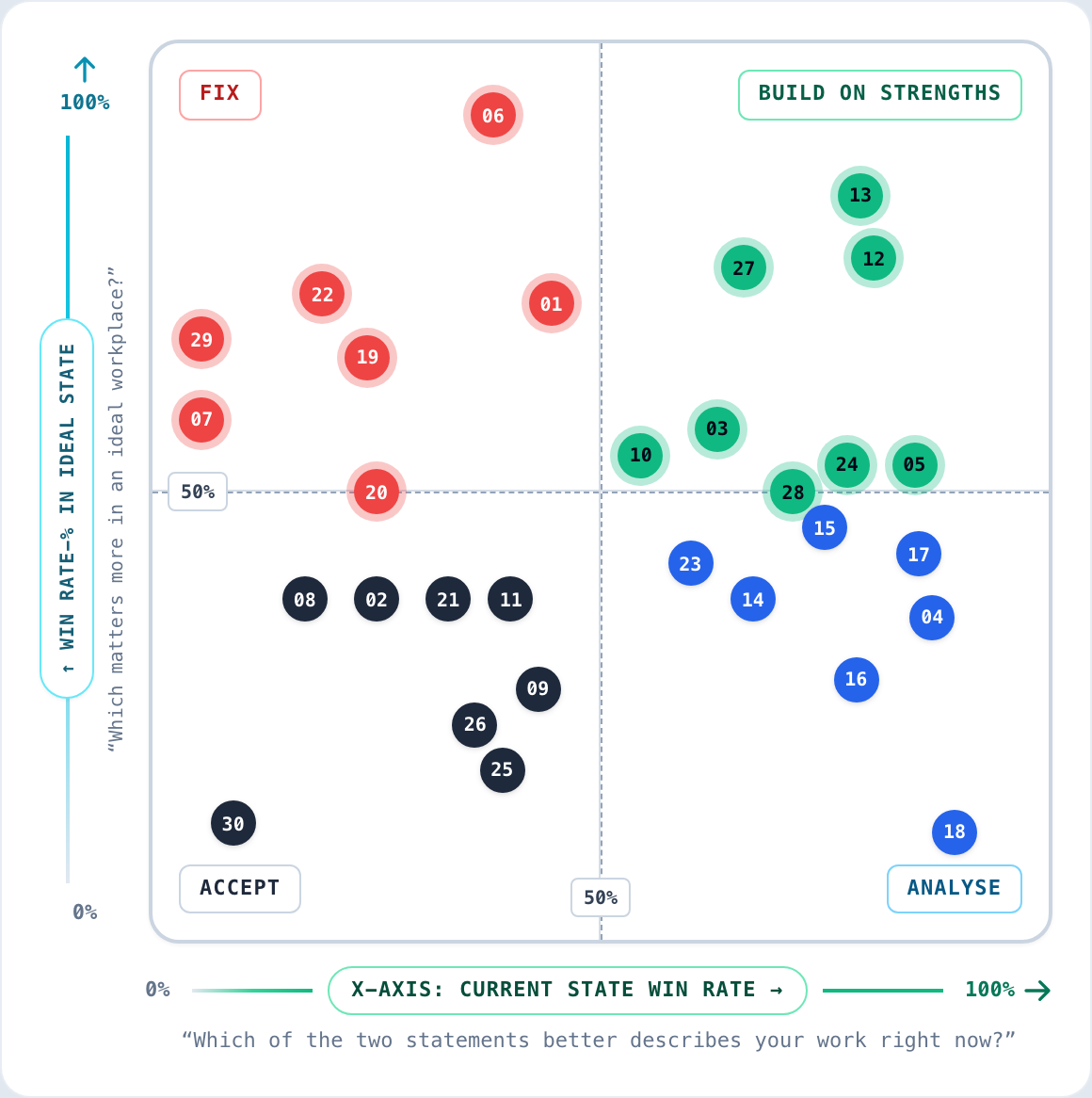
How to interpret the four quadrants
The map compares the Current and Ideal State, helping you identify strengths, gaps and areas that need attention.
Critical to fix, urgency to improve
Critical organizational gaps. These items represent what people value most but feel is least realized today.
Build on strengths and maintain
High importance in ideal state and strong in current state. Protect or strengthen these capabilities.
Analyse need to act
Strong in current state but low in ideal state. Potential misallocated effort, as participants consider them relatively less essential for success.
Accepted weakness
Low in ideal state and current state. No need to act.
Ranking Lists
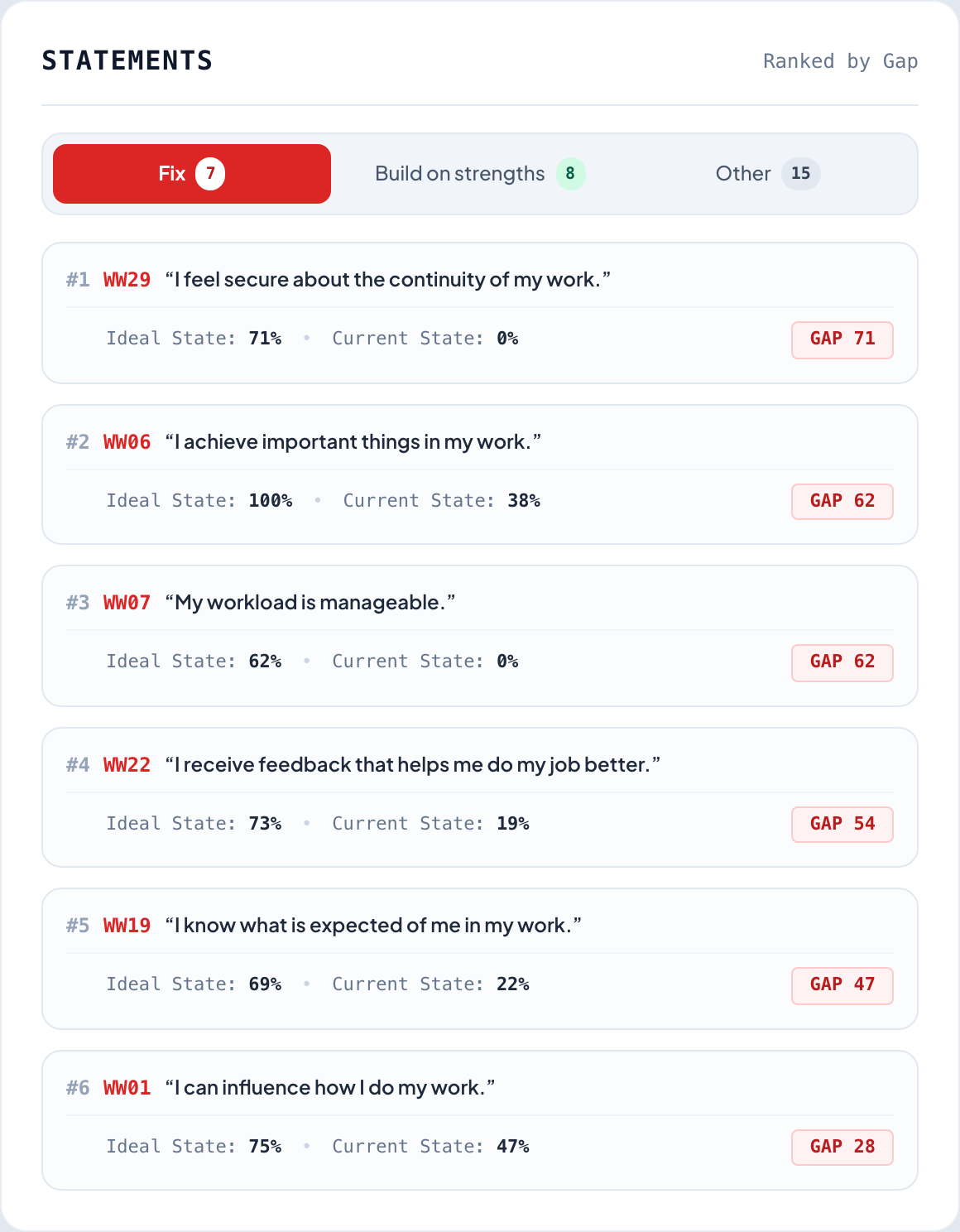
The priority list ranks the statements based on the team’s collective choices, showing what matters most and where the biggest gaps are.
- #1 Gap (WW29): "I feel secure about the continuity of my work" shows a 71-point gap between ideal expectation (71%) and current reality (0%).
- #2 Gap (WW06): "I achieve important things in my work" is an absolute priority (100% win-rate in ideal) with a 62-point gap.
Ranked Statements
Sorted by gap (Ideal State − Current State)
Ready to understand what matters most in your organisation?
We can help you involve your people, identify collective priorities and turn the results into action. Start with WorkWell as a service, with the option to use our platform independently as SaaS becomes available.